Searching for a GGPoker download returns dozens of domains, most of them unofficial. This guide walks through installation on each platform, shows where clone versions usually slip in, and covers the common failures: white screen on Windows, iOS certificate errors and blocked Android installs.
The four platforms at a glance
| Platform | Format | Requirements | Difficulty | Notes |
|---|---|---|---|---|
| Windows | .exe installer | Windows 10 / 11, 64-bit, 4 GB RAM | Low | Most complete build; best for multi-tabling and HUD |
| macOS | .dmg | macOS 11 or later, Intel and Apple Silicon | Low | First launch needs approval in Privacy & Security |
| iOS | App Store or enterprise certificate | iOS 14 or later | Medium | Taiwanese accounts usually install via the landing page and trust a certificate |
| Android | .apk | Android 8 or later | Medium | Unknown sources required; not on Google Play |
| Browser | Web client | Latest Chrome / Safari | None | Fewer features; fine for occasional use |
The most important step comes before the download. Domains such as ggpk11.net, ggpuke360.com or ggpk100.com are agents or clones and their installers may be modified. Use only an entry point you have verified, then check the licence information under Settings → About inside the client.
※ Partner link (nofollow). 18+.
Windows 10 / 11 installation
- Open the official download page and choose Windows. The installer is roughly 100–200 MB.If your browser flags an "uncommonly downloaded file", that is due to the fresh code signature. Keep it only if the source is verified.
- Run the installer. Accept the default path under C:\Program Files. Installation takes about a minute.
- First launch. The client downloads an update package, so use a stable connection. The login screen appears once it finishes.
- Log in or register. Existing players log in; new players click Register and verify their email. The first login runs region verification.White screen after login: disable the VPN, or delete %localappdata%\GGPoker and reinstall.
- Verify the build. Settings → About should show a version number and licence details. Remove any build that lacks them.
macOS installation
- Download the .dmg. One file serves both Intel and Apple Silicon.
- Drag to Applications. Open the dmg and drag the GGPoker icon into the Applications folder.
- Allow it to open. If macOS says the developer cannot be verified, go to System Settings → Privacy & Security and choose Open Anyway.This is the standard prompt for software outside the App Store and does not indicate a problem, provided you downloaded from the official source.
- Update and log in. Same as Windows: the first launch pulls an update.
iPhone and iPad installation
The iOS flow depends on your App Store region. Taiwanese accounts usually go through the official landing page and a configuration profile.
- Open the official mobile page in Safari. Do not use the in-app browser in LINE or Facebook; profile installation fails there.
- Tap the iOS download and allow it. Safari asks for permission to download a profile. Allow it.
- Trust the developer certificate. Go to Settings → General → VPN & Device Management, find the enterprise certificate and tap Trust.Apple revokes these certificates from time to time and the app stops opening. That is not an account issue. Reinstall the new certificate build from the official page.
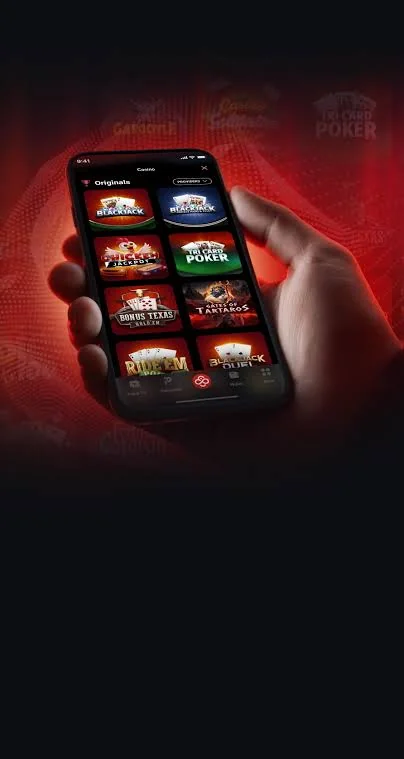
- Open the app and log in. The mobile app supports cash games, tournaments, Spin & Gold and the cashier, close to desktop parity.
Android installation
- Download the APK from the official mobile page. It is about 100 MB.
- Allow unknown sources. Settings → Security → Install unknown apps, and allow your browser.Turn the permission off again afterwards to reduce the risk of installing a malicious APK later.
- Install and open. Play Protect may warn about an unverified app. Continue only if the source is official.
- Log in and update. The app checks for updates on its own. If an old build cannot log in, download the latest APK.
How to spot a clone download site
Signs of a clone
- Domain is ggpk or ggpuke plus numbers, and it changes often
- The whole page is a download button and a support QR code
- No terms, company details or responsible-gaming page
- Promises of "internal rakeback" or "agent deals" the platform does not offer
- Asks you to send money to "support" for a top-up
Signs of a genuine source
- Full terms, privacy and licence pages
- The cashier lives inside the client and funds go straight to your account
- The About screen shows version and licence
- Support runs through in-client chat or an official email
This site is an information site, not a download mirror. Our buttons lead to a partner entry point; registration and download then happen inside GGPoker's own system.
Common installation and login problems
| Problem | Cause | Fix |
|---|---|---|
| White screen on Windows | VPN node, leftover update files | Disable VPN; delete %localappdata%\GGPoker and reinstall |
| "Cannot connect to server" | Network or regional block | Switch network or node; make sure the client is current |
| iOS "Unable to install" | Revoked certificate or in-app browser | Reinstall via Safari and trust the new certificate |
| Android "App not installed" | Old build present or low storage | Remove the old version and free at least 500 MB |
| Login asks for region verification | Registration region differs from login location | Upload the requested documents; see the sign-up page |
| Account locked | Repeated wrong passwords or a security review | Unlock via in-client chat or email; see the support page |
Installed? Pick your bonus before you deposit
First deposits start at $20. Choose either 100% up to $600 or $100 in tickets.
※ Links to GGPoker on this site are partner links (nofollow). 18+. Play responsibly.
Requirements and performance tips
A single table runs on almost anything. For four or more tables use a Windows PC with 8 GB RAM and a 1080p or larger screen; multi-tabling on a phone is not a good experience. Rush & Cash and Spin & Gold are latency-sensitive, so avoid all-in decisions on a weak mobile signal.
GGPoker bans third-party HUDs and tracking software. The built-in Smart HUD covers the basics, and external tools risk account closure.
Responsible play and regional note
Installing the software does not mean online poker is permitted where you live. Taiwan has no licensing regime for online poker and offshore platforms are not supervised locally. Play only with money you can afford to lose. Under-18s may not play. Taiwan's 1925 helpline is free and open 24 hours.
Frequently asked questions
Which systems does the GGPoker desktop client support?
Windows 10 and 11 (64-bit) and macOS. Windows 7 is no longer officially supported; older installers may still run but often show a white screen after updates. The installer is roughly 100–200 MB depending on version.
How do I install GGPoker on iPhone?
It depends on your App Store region. Some regions have the app in the store. Taiwanese accounts usually install through the official mobile landing page, then trust the developer certificate under Settings → General → VPN & Device Management. If the certificate is revoked, reinstall from the official page.
Is the Android APK safe?
Yes, if it comes from the official landing page. You must allow unknown sources under Settings → Security. APKs from third-party domains found in search results are high risk and clone builds can steal login details.
How do I recognise a fake GGPoker site?
Clones typically use ggpk or ggpuke plus numbers as the domain, show a single download button with a support QR code, and have no terms, company information or responsible-gaming page. The official client shows licence information after installation; clones usually do not.
Is there a browser version?
Yes. GGPoker offers a web client with a reduced feature set, useful when you cannot install software. For regular play the desktop client is more stable and includes the full HUD.
The client opens to a white screen. What now?
Disable your VPN or switch server, then run the client as administrator. If it persists, delete the %localappdata%\GGPoker folder and reinstall. This is the most common issue after Windows updates.